Invoices
Get Paid Faster with Mobile Invoicing
Stop waiting until you get back to the office to send invoices. Create and send professional invoices from your phone the moment a job is done.
What you can do with invoices.
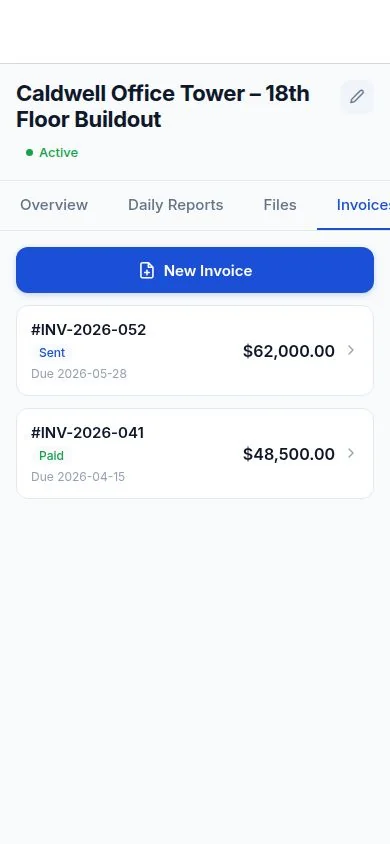
DailySite keeps construction invoices with the project, including amounts, due dates, and status. Prepare a PDF invoice for your client and record payment when received; arrange collection separately.
Everything you need
Built for how contractors actually work — fast, mobile, and in the field.
Professional Invoices in Minutes
Generate a complete, professional invoice from your phone in minutes. No templates to mess with, no design skills needed.
Line-Item Billing
Itemize labour, materials, and expenses. Clients see exactly what they're being charged for — fewer disputes, faster payment.
Send From Anywhere
Email invoices directly from the job site. The faster you send, the faster you get paid.
Convert From Estimate in One Tap
Won the job from your estimate? Convert it to an invoice instantly — all the line items carry over automatically.
Payment Status Tracking
Keep track of sent and paid invoices. Arrange payment with your client separately, then mark the invoice paid when you receive it.
Unlimited Invoices
Send unlimited invoices on every plan. No per-invoice fees or caps on how much you can bill.
Your Branding
Invoices go out with your company name, logo, and contact info. Look professional to every client.
Tied to Your Projects
Every invoice is linked to the project. Your billing history is always organized and easy to find.
How it works
Simple enough to use from your truck before the crew shows up.
Open or create an invoice
Start fresh or convert an existing estimate to an invoice with a single tap. Your line items carry over.
Add or adjust line items
Add labour, materials, and any additional charges. DailySite calculates totals automatically.
Add payment terms and notes
Set due date, payment terms, and any notes for the client. Keep it clear so there are no payment delays.
Send and get paid
Email the invoice directly from DailySite. Track payment status and follow up from the app.
A few things worth knowing.
What information belongs on a contractor invoice?
Include your business and client details, an invoice number, issue and due dates, a clear breakdown of the work, taxes, and payment instructions.
Does an invoice status mean the app processes payments?
Invoice status helps you keep records of sent and paid invoices. Agree on payment arrangements with your client and update your records when payment is received.
Ready to get to work?
Free 14-day trial. No credit card required.