AI Reports
Your AI Report Writer for the Job Site
Keep detailed daily reports, choose a date range, and let DailySite prepare a project summary. Review the draft against your site records before sharing it.
What you can do with ai reports.
DailySite's AI reporting summarizes a project's recorded daily reports over a selected period. Use detailed site records as the source, then review the generated summary before sharing it.
Everything you need
Built for how contractors actually work — fast, mobile, and in the field.
Summarize Your Site Records
Generate a summary from the project's daily reports over the period you select.
Works With Voice Input
Use Voice Log when preparing daily reports, review the transcribed fields, and save them as source records for your summary.
Consistent, Professional Language
Bring recorded work, crew details, and issues together in a readable draft for your project updates.
Less Rewriting
Start with the reports you already recorded instead of assembling each project recap from scratch.
Keep the Source Records
Use the underlying daily reports to verify names, dates, quantities, and any statements in the draft.
Impresses Owners & GCs
Send polished daily reports that make you look professional and build client trust on every project.
10 Summaries/Month on Starter
Start with 10 AI report summaries/month on the Starter plan. Upgrade to Pro for 60 summaries/month.
Edit Before You Send
AI gives you a great starting point. Review and tweak anything before saving or sharing the report.
How it works
Simple enough to use from your truck before the crew shows up.
Record the work each day
Save specific daily reports with work completed, crew details, conditions, and issues.
Choose a reporting period
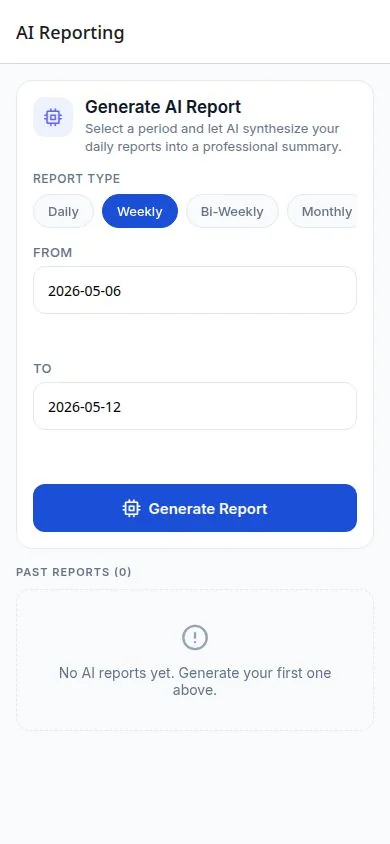
Open AI Reporting for the project, select the dates, and generate a summary of the recorded daily reports.
Review and adjust
Check the draft against the source reports. Correct any missing context or inaccurate details before using it.
Save and share
Your report is ready to share with the owner, GC, or save to your project records.
A few things worth knowing.
What does the AI report summarize?
Select a date range to turn the project's recorded daily reports into a summary. Keep the underlying daily logs detailed so the summary has useful source material.
Should I check an AI-generated construction report?
Yes. Review names, dates, quantities, and any claims before sharing. Your site records and your judgment remain the source of truth.
Ready to get to work?
Free 14-day trial. No credit card required.